
Article
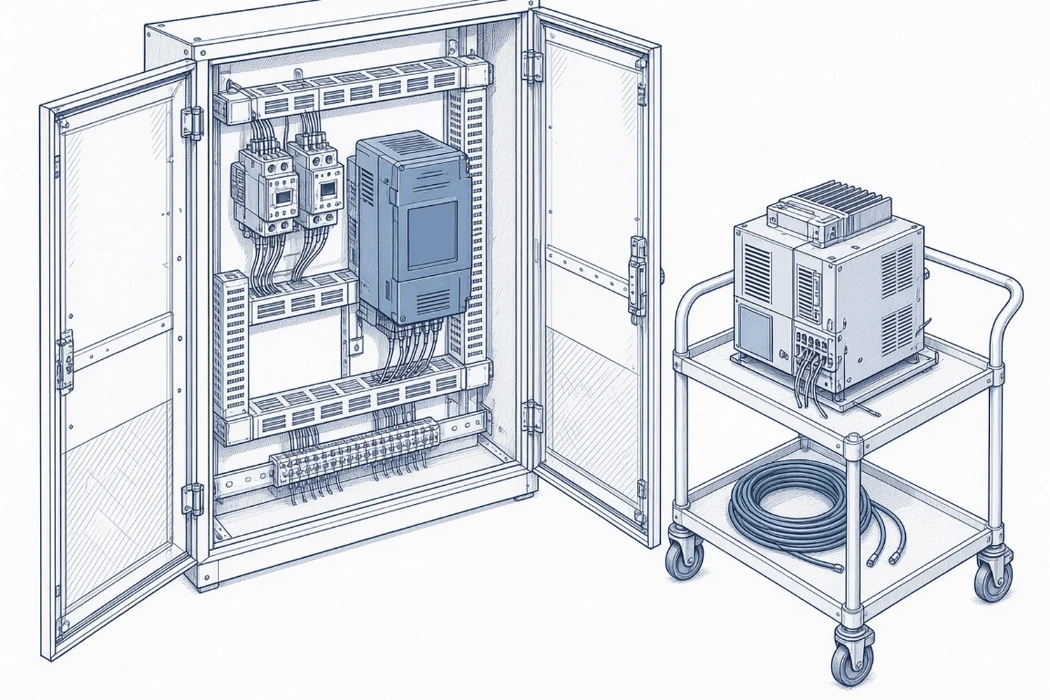
Retiring a Micromaster 440 for a G120: carry the fault history across
Siemens names the SINAMICS G120 as the main alternative to the MICROMASTER 440, but MM440 parameters can't be copied across and the G120 starts its own fault buffer. What the Siemens migration FAQs say, and what to record from the old drive, including its F0001 history, before you pull it.
In September 2021 a member called JS1892 posted on the Siemens support forum about a 45 kW MICROMASTER 440 (order number 6SE6440-2UD34-5FA1). It ran a compressor in a cooled boiler room. It had tripped on F0001 (overcurrent) and could not be reset, even with the motor disconnected and, later, with all controls disconnected on a workshop bench. Near the end of the post came the question that every MM440 owner gets to sooner or later: "If we can not get a replacement part, what is a good Sinamics Replacement for it? And is there a conversion tool in Starter/Scout to convert all the settings from the Micromaster 440 to a Sinamics Unit?"
The thread answers the hardware question. This post covers the part it doesn't: when the old drive comes off the back plate, its fault memory goes with it. Every F0001 it logged, every trip time, every fault value, and whatever your team found the last three times it tripped, leaves the site unless someone writes it down first.
Short answer: Siemens names the SINAMICS G120 as the main alternative to the MICROMASTER 440. The G120 is a power module (PM240 or PM240-2) plus a separate control unit. MM440 parameters can't be copied across, so the drive is recommissioned. The new drive starts its own fault buffer, so record the MM440's r0947, r0948 and r0949 before you remove it.
Applies to: Siemens MICROMASTER 440 (Parameter List Issue 01/06) being replaced by a SINAMICS G120 with a CU240B-2, CU240E-2 or CU250S-2 control unit (Siemens migration FAQ for firmware V4.6 and later; G120 CU240B-2/CU240E-2 List Manual 02/2023, firmware 4.7 SP14). Last verified: 14 Nov 2026. Author: Muhammed Fahiz
What did the Siemens forum thread actually say?
It pointed to a retrofit kit, warned about the old drive's capacitors, and posted no fix. The thread is "Micromaster 440 tripped on overcurrent F0001 and can not be reset." (thread 269242). In order:
- JS1892 (29 Sep 2021) listed the tests done. With the motor disconnected, every phase measured above 200 megohm to earth. The PTC read about 600 ohm. The fault still would not reset with the motor off. He couldn't check the IGBTs because the drive was in a difficult spot, and asked whether the unit or spare parts could still be bought.
- wmartin987 (30 Sep 2021) replied that this MM4 "can be still ordered as spare part", and added: "If you want to have a e.g. SINAMICS G120 instead of a MM4, you can use the Retrofit Kit configurator" to get information about "a Retrofit Kit which contains all needed info and also a parameter conversion tool."
- JS1892 (4 Oct 2021) added that the drive had itself been replaced about three years earlier, and that in the workshop, with all controls disconnected, F0001 still would not reset, "therefore there must be an issue with the drive". He also asked: "Is there no chance at all to get Siemens manuals?"
- Tractor (5 Oct 2021) suggested asking the local Siemens agent for a replacement recommendation or using an authorized repair facility, and wrote: "If the drive has been 'on the shelf' for 3 years it is possible that the DC Link capacitors have degraded, failing when power was applied."
Nobody in the thread said what happened to the drive in the end. The order of JS1892's checks is covered in our post on VFD overcurrent trips: motor, cable, load or drive. If you get as far as the IGBTs, see IGBT failure in a VFD: symptoms and a diode-mode test.
Is the MICROMASTER 440 discontinued?
Yes. Siemens moved the MICROMASTER 4 family into phase-out in 2017. The Siemens Industry Online Support product note "Phase-out announcement of MICROMASTER 4 standard drives" (entry 109744726) says, word for word:
"Effective October 1st, 2017 the MICROMASTER 420/430/440 standard drives including options and accessories will be withdrawn from the active marketing phase and managed as a product to be phased out."
The same note says the phase-out period is generally one year, and lists "SINAMICS G120 as a main alternative to MICROMASTER 440" (G120C for the MM420 and G120P for the MM430). A Siemens seminar deck from March 2019 ("Ready to change, MICROMASTER to SINAMICS") shows the milestones as phase-out announcement in September 2017, product discontinuation in September 2018, and service and spare part business from October 2018. A Siemens USA brochure from July 2022 puts it simply: "Therefore, we've decided to replace MICROMASTER with drives from the current SINAMICS family."
In the 2021 forum thread, wmartin987 said the 45 kW unit could still be ordered as a spare part. Availability depends on the exact order number and changes over time, so check yours on Siemens SiePortal rather than relying on any date in this post.
What replaces a MICROMASTER 440?
A SINAMICS G120, which comes in two parts: a power module and a control unit. Siemens' FAQ "Migration of MICROMASTER MM440 to SINAMICS G120 (Firmware >= V4.6)" (entry 82169413, version 1.0.1, August 2013) sets out the match:
- Power side. The PM240 power modules are the G120 counterpart of the MM440 power section. Like the MM440 they have a 6-pulse diode rectifier, an electrolytic DC link, a braking chopper and an IGBT inverter, and they match it in output power, output current and overload capacity (pp. 5-6). The duty names change: VT becomes LO (low overload) and CT becomes HO (high overload) (p. 6). In 2013 the FAQ noted that the PM240-2 was replacing the PM240 from 0.55 kW to 15 kW (LO) (p. 7). Check the current catalogue for your size.
- Control side. The control unit depends on which options the MM440 had fitted (p. 9):
| MM440 as fitted | Preferred G120 control unit (FAQ 82169413, p. 9) |
|---|---|
| No communication module, no pulse encoder module | CU240E-2 |
| PROFIBUS module, no pulse encoder module | CU240E-2 DP |
| CANopen module, no pulse encoder module | CU250S-2 CAN |
| No communication module, with pulse encoder module | CU250S-2 |
| PROFIBUS module, with pulse encoder module | CU250S-2 DP |
| CANopen module, with pulse encoder module | CU250S-2 CAN |
The FAQ adds that a CU240B-2 is available when the application can manage with 4 digital inputs, 1 digital output, 1 analog input and 1 analog output (p. 9). The control terminals are pluggable and use the same terminal designations as the MM440 (p. 11). The MM440 BOP's counterpart is the BOP-2, the AOP has no direct counterpart, and the IOP is offered for wizard-guided commissioning (pp. 12-13).
To choose by part number, the 2022 Siemens brochure gives three steps: go to www.siemens.com/tool-micromaster, enter the MICROMASTER order number ("You can find the order number on the rating plate or in your last order"), and pick from the suggested SINAMICS drives (p. 7). The alternative it gives is to read the output current off the rating plate and select from catalogue D31.1 or the Siemens drive configurator. The migration FAQ also mentions a Siemens retrofit offer that includes the field service technician, done all at once or step by step, and links a Retrofit Kit Configurator (p. 15). When we checked on 14 Nov 2026, the retrofit link in the 2021 forum post redirected to an unrelated Siemens services page, while siemens.com/tool-micromaster redirected to a configurator on the Siemens Industry Mall.
Can you copy the MM440 parameters into the G120?
No, not directly. The migration FAQ says, word for word: "A direct migration from projects with MICROMASTER MM440 to control units of the SINAMICS G120s is not possible as a result of the modified parameter structure." The note under it: "The drive must be recommissioned using BOP-2, IOP or STARTER." (p. 16)
A few of the changes the FAQ lists, paraphrased:
- The G120 is set up and monitored with STARTER only. DRIVE MONITOR is not supported (p. 14).
- The MM440's 20 user-defined parameters are replaced by know-how protection (p. 16).
- Terminal presets move from P0700/P1000/P0719 to the macro in p0015 (p. 17).
- Digital inputs and outputs are numbered from index 0, not 1, so parameter numbers move by one. The FAQ's example is DO0: p731 on the MM440, p730 on the CU240E-2 (pp. 23, 27).
- The control units CU240B/E-2 and CU250S-2 have no real-time clock. If one is needed, the FAQ points to the CU230P-2 (p. 23).
A second Siemens FAQ, "Support when migrating from MICROMASTER 4 and SINAMICS G120 (< V4.4) to SINAMICS G120 (V4.4)" (entry 64913783, November 2012), goes parameter by parameter. Its summary warns that "it is absolutely essential that "old" and "new" parameter lists for each relevant parameter are precisely considered" (p. 7). The 2019 Siemens seminar deck says Siemens Customer Support can help convert MICROMASTER 4 parameters to SINAMICS parameters, and wmartin987 said the retrofit kit includes a parameter conversion tool. Either way, the old parameter set has to be read out of the MM440 before it leaves.
What happens to the old drive's fault history?
It stays in the old drive. Nothing in the two Siemens migration documents we read describes moving fault history from an MM440 to a G120. The parameter tables compare what each drive stores, not how to carry it across. That is our reading of those documents, but it follows from how each drive keeps its log.
On the MM440 (Parameter List Issue 01/06):
- r0947 holds the last fault codes: indices 0 and 1 are the active faults, and each acknowledgement shifts the pair down. There are 8 indices, so the active pair plus three earlier trips (p. 106). r0947 is readable at access level 2.
- r0948 holds a time stamp for each trip (p. 107). Unless an AOP has set the real-time clock in P2115, that time stamp comes from the run time counter r2114, the total time the drive has been powered up, in seconds (p. 209). So on most drives the "fault time" is powered-up seconds, not a date.
- r0949 holds a fault value for each trip, "for service purposes" (p. 107).
- P0952 shows how many faults are stored. Setting it to 0 resets the fault history, and that also resets r0948 (p. 108). r0948, r0949 and P0952 need access level 3, set in P0003 (p. 25).
On the G120 (CU240B-2/CU240E-2 List Manual, 02/2023):
- r0945 (and r0947, which is identical) holds fault codes in 64 indices: the actual fault case and seven acknowledged fault cases, up to 8 faults each (pp. 147-148).
- r0948 is the system runtime in milliseconds when the fault occurred, with the days in r2130 (p. 148). r2109 is the runtime when the fault was removed (p. 321).
- r0949 holds the fault value (p. 148). Setting p0952 to 0 clears the fault buffer (p. 148).
| MICROMASTER 440 | SINAMICS G120 CU240B-2/CU240E-2 | |
|---|---|---|
| Fault codes | r0947, 8 indices: active pair + 3 earlier trips (PL p. 106) | r0945 / r0947, 64 indices: actual case + 7 acknowledged cases, 8 faults each (LM pp. 147-148) |
| Fault time | r0948, run time counter r2114 in seconds, or AOP clock P2115 if set (PL pp. 107, 209) | r0948 in ms plus r2130 in days, system runtime (LM p. 148) |
| Fault removed time | Not in the MM440 list | r2109 (LM p. 321) |
| Fault value | r0949 (PL p. 107) | r0949 (LM p. 148) |
| Clear history | P0952 = 0, also resets r0948 (PL p. 108) | p0952 = 0 (LM p. 148) |
| Real-time clock | Only if set via AOP or interface (PL p. 209) | None on CU240B/E-2 or CU250S-2 (FAQ 82169413 p. 23) |
PL = MM440 Parameter List; LM = G120 List Manual.
Two things follow. First, the G120 starts with an empty fault buffer of its own. Its first entry will be its own first trip, not the MM440's last one. Second, neither drive dates its faults by the calendar unless a clock has been set. If you read an MM440 fault time and want to know roughly when that trip was, you also need r2114 and today's date. That conversion is our method, not something either manual describes.
What should you record before you pull the old drive?
Write all of this into the machine's record, not a notebook that leaves with the technician. Each step is one action.
- Rating plate. Copy the full order number and serial number. The Siemens brochure uses the order number to find a successor (p. 7). Expect: a 6SE6440-... number. If the plate is unreadable: check the last purchase order.
- Options fitted. Note any communication module (PROFIBUS, CANopen, DeviceNet) and any pulse encoder module. The FAQ chooses the control unit from these (p. 9), and has no direct replacement for DeviceNet (p. 42).
- Firmware. Read r0018 (firmware version, level 1, PL p. 29) and r0964 (firmware version data, PL p. 108).
- Access level. Set P0003 to 3 so r0948, r0949 and P0952 are visible (PL p. 25).
- Fault memory. Read every index of r0947 (8), r0948 (12) and r0949 (8), and the count in P0952 (PL pp. 106-108). Do not set P0952 to 0. That wipes the codes and the times.
- Run time. Read r2114[0] and r2114[1]. Total seconds = r2114[0] x 65536 + r2114[1] (PL p. 209). Write it next to today's date and time. With that, the trip times in r0948 can be placed roughly on a calendar.
- Parameter set. Save the full parameter list in whatever way your team saves MM440 settings. The G120 is recommissioned (FAQ p. 16), and the person doing it needs the old values beside the new list.
- What has already been tried. Write down every test and result from the breakdowns on this drive. JS1892's post is a good model: motor disconnected, insulation to earth above 200 megohm, PTC about 600 ohm, fault still present with all controls disconnected.
- Where the old drive goes. Scrap, repair or shelf spare. If it is kept as a spare, tag it with the fault history. Tractor's point in the thread was that a drive left on the shelf for years may have degraded DC link capacitors.
The fields in steps 5, 6 and 8 belong in the same places as any other breakdown: the breakdown register and the service engineer job card. If MM440 fault codes are new to you, our MM440 F0001 checklist covers reading the fault memory before a reset.
What does F0001 look like after the swap?
It has a different number. On the MM440, F0001 is the overcurrent trip. In the G120 CU240B-2/CU240E-2 List Manual, the power unit overcurrent fault is F30001 "Power unit: Overcurrent", reaction OFF2, acknowledged immediately (p. 904). Its cause list includes, paraphrased: incorrect closed-loop control settings, a motor short circuit or fault to ground, too short an up ramp in U/f operation, motor rated current much greater than the power unit's, power cables wrongly connected or longer than permitted, a missing line reactor, an interrupted line phase, and a defective power unit (p. 904).
One useful addition: for F30001 the G120 fault value in r0949 is read bit by bit. Bits 0, 1 and 2 mean overcurrent in phase U, V or W, bit 3 means overcurrent in the DC link, and a value of 0 means the phase wasn't recognized (p. 904).
We matched F0001 to F30001 because both are the drive's overcurrent trip. That is our reading of the two manuals. Neither migration FAQ we read gives a fault-code-to-fault-code table. The MM440 FAQ does say that the fault messages of the new G120 control units have changed compared with the earlier CU240E and CU240S, that fault texts can be downloaded for an HMI, and that some faults can now be hidden, converted into alarms, or given a different acknowledgement mode (p. 43). The 2012 FAQ lists the parameters for this: p2118/p2119 for message type and p2126 for acknowledgement mode (pp. 149-150). If the person commissioning the G120 changes any of these, write it in the machine's record too. Otherwise a fault that used to trip the old drive can show up only as an alarm on the new one.
For the machine's history, keep one line that says when the drive changed: "F0001 on MM440 up to [date]; G120 from [date], overcurrent now reported as F30001." Without that line, a search for the code on that machine finds half the story.
What does the manual say vs what has been reported in the field?
| Siemens documents | Field reports | |
|---|---|---|
| Successor | SINAMICS G120 as main alternative to MM440 (entry 109744726) | wmartin987: G120 via the Retrofit Kit configurator (thread 269242, 30 Sep 2021) |
| Parameters | No direct migration; recommission with BOP-2, IOP or STARTER (FAQ 82169413 p. 16) | wmartin987: the retrofit kit includes "a parameter conversion tool" |
| Old drive | No guidance found on fault history transfer | Tractor: DC link capacitors may degrade if the drive sat on a shelf for years (single report, a suggestion, not confirmed in the thread) |
| Confidence | Official | Single reports; no fix posted |
For an MM440 F0001 that did get fixed in the field, see how to find the last fix that worked, which covers a 2013 forum fix that wasn't in the manual's cause list.
What this doesn't tell you
We read the two Siemens migration FAQs (2012 and 2013), the Siemens phase-out note, the 2019 Siemens seminar deck, the 2022 Siemens USA brochure, the MM440 Parameter List (Issue 01/06) and the G120 CU240B-2/CU240E-2 List Manual (02/2023), plus the forum thread. We did not open the Retrofit Kit Configurator, the parameter conversion tool or the fault text download, and we didn't check which retrofit kits exist for a given size. The FAQs were written for firmware V4.4 and V4.6, so check the current G120 documentation for your control unit. We did not check the CU250S-2 manual, so the G120 fault buffer details above are for the CU240B-2/CU240E-2. Live SERP and search volume for this query were not checked.
Where does HangerSearch fit?
A drive swap is the point where a machine's fault history is most likely to get lost. The record of what fixed it last time usually sits in finalized service reports and job cards, not in the drive. If those reports name the machine and the fault code, they still answer the question after the old drive has gone. See "Who fixed it last time?" If the answer is a name, not a record.
HangerSearch searches your team's finalized service reports where they already sit and cites the page each answer comes from. Search by fault code, machine or symptom. See how we handle your reports.
Book a 20-minute demo: hangersearch.com
FAQ
Is the Siemens MICROMASTER 440 discontinued?
Yes. Siemens' product note "Phase-out announcement of MICROMASTER 4 standard drives" (entry 109744726) says that from 1 October 2017 the MICROMASTER 420/430/440 drives, options and accessories were withdrawn from active marketing and managed as products to be phased out. Spare part availability depends on the order number, so check yours on Siemens SiePortal.
What is the replacement for a MICROMASTER 440?
Siemens names the SINAMICS G120 as the main alternative to the MICROMASTER 440. It is modular: a PM240 or PM240-2 power module plus a control unit chosen by the options the MM440 had, for example a CU240E-2 for a drive with no communication or encoder module. Siemens' tool at siemens.com/tool-micromaster suggests successors from the MM440 order number.
Can I copy MM440 parameters to a G120?
Not directly. Siemens' migration FAQ (entry 82169413) says a direct migration from MM440 projects to G120 control units "is not possible as a result of the modified parameter structure", and the drive must be recommissioned using BOP-2, IOP or STARTER. Read out and save the full MM440 parameter list before you remove the drive.
Does a G120 keep the MM440's fault history?
No. The fault history is stored in the MM440 itself, in r0947 (codes), r0948 (times) and r0949 (values), and the G120 keeps its own buffer from its first trip. The Siemens migration documents we read don't describe moving fault history across. Record the MM440's fault memory and run time counter before removal, and don't set P0952 to 0.
What is the G120 equivalent of MM440 fault F0001?
The G120 CU240B-2/CU240E-2 List Manual (02/2023) lists F30001 "Power unit: Overcurrent" (p. 904). We treat that as the counterpart of the MM440 overcurrent trip F0001, but that's our matching. The Siemens migration FAQs we read don't give a code-to-code table. On the G120, the r0949 fault value for F30001 shows which phase, or the DC link, saw the overcurrent.
Sources
- Siemens Industry Online Support forum (SiePortal), "Micromaster 440 tripped on overcurrent F0001 and can not be reset.", thread 269242: posts by JS1892 (29 Sep 2021 and 4 Oct 2021), wmartin987 (30 Sep 2021) and Tractor (5 Oct 2021): https://support.industry.siemens.com/forum/WW/en/posts/micromaster-440-tripped-on-overcurrent-f0001-and-can-not-be-reset/269242. Opened in a browser on 14 Nov 2026. Supports: the case, the tests, every quote from the thread, and the absence of a posted fix.
- Siemens AG, "Phase-out announcement of MICROMASTER 4 standard drives", product note, entry ID 109744726: https://support.industry.siemens.com/cs/ww/en/view/109744726. Opened 14 Nov 2026. Supports: phase-out effective 1 Oct 2017, one-year phase-out period, G120 as the main alternative to the MM440.
- Siemens AG, "Migration of MICROMASTER MM440 to SINAMICS G120 (Firmware >= V4.6)", FAQ, version 1.0.1, August 2013, entry 82169413: https://cache.industry.siemens.com/dl/files/413/82169413/att_1091231/v1/82169413_FAQ-01LUJQCY_Migration-guideline_MM440_by_Cu2x0x-2_V101_en.pdf. Opened 14 Nov 2026 (43 pages). Supports: PM240/PM240-2 (pp. 5-7), control unit choice (p. 9), terminals (p. 11), operator panels (pp. 12-13), STARTER only (p. 14), retrofit offer (p. 15), no direct parameter migration (p. 16), user-defined parameters and macros (pp. 16-17), real-time clock and index changes (pp. 23, 27), DeviceNet (p. 42), fault messages (p. 43). Paraphrased except where quoted.
- Siemens AG, "Support when migrating from MICROMASTER 4 and SINAMICS G120 (< V4.4) to SINAMICS G120 (V4.4)", FAQ, version 1, November 2012, entry 64913783: https://cache.industry.siemens.com/dl/files/783/64913783/att_118504/v1/64913783_migration_g120_g120-2_en.pdf. Opened 14 Nov 2026 (240 pages). Supports: the summary quote (p. 7), fault buffer parameter comparison (pp. 68-69), the time stamp change (p. 147), message type and acknowledgement parameters (pp. 149-150).
- Siemens AG, MICROMASTER 440 Parameter List, Issue 01/06, 6SE6400-5BB00-0BP0: https://cache.industry.siemens.com/dl/files/204/23708204/att_60463/v1/440_PLi_23708204_en_0106.pdf. Supports: P0003 (p. 25), r0018 (p. 29), r0947 (p. 106), r0948 and r0949 (p. 107), P0952 and r0964 (p. 108), r2114 and P2115 (p. 209). Printed page numbers.
- Siemens AG, SINAMICS G120 Control Units CU240B-2/CU240E-2 List Manual, edition 02/2023, A5E33839529, firmware 4.7 SP14, entry 109817919: https://cache.industry.siemens.com/dl/files/919/109817919/att_1133702/v1/G120_CU240BE-2_list_man_0223_en-US.pdf. Opened 14 Nov 2026. Supports: fault buffer r0945/r0947/r0948/r0949/p0952 (pp. 147-148), r2109 (p. 321), F30001 (p. 904). Paraphrased.
- Siemens Industry, Inc., "Simply switch over now from MICROMASTER to SINAMICS", brochure, order no. DRBR-MMSIN-0722, July 2022: https://assets.new.siemens.com/siemens/assets/api/uuid:ac334917-dcca-4541-bc84-872c14e2c847/Micromaster-to-SINAMICS-brochure.pdf. Opened 14 Nov 2026. Supports: the "decided to replace" quote (p. 2) and the three-step successor lookup (p. 7).
- Siemens, "Ready to change, MICROMASTER to SINAMICS", seminar slides, HCM, 28 Mar 2019: https://assets.new.siemens.com/siemens/assets/api/uuid:c4853a0e-4b6b-4e3d-a77a-e69e517df9b5/8--giai-phap-nang-cap-va-thay-the-ac-drives-micromaster4.pdf. Opened 14 Nov 2026. Supports: the 2017/2018 milestones (slide 2) and the parameter conversion support line (slide 12).
Related
- Siemens MM440 F0001 that won't reset: what to check, by when it trips
- Repeat machine fault? How to find the last fix that worked
- VFD overcurrent trip: isolating motor, cable, load or drive
- IGBT failure in a VFD: symptoms and a diode-mode test
- Breakdown register format (Excel) that you can still search in two years
- "Who fixed it last time?" If the answer is a name, not a record
- How HangerSearch handles your data