
Article
Can't find the manual for an old machine: where to look
An old machine, an alarm and an empty manual pocket. Where to look, in order: the nameplate order number, the machine builder vs the control or drive maker, OEM portals (Siemens, Fagor, FANUC), authorized repair, forums and public archives, and how to check the copy you find.
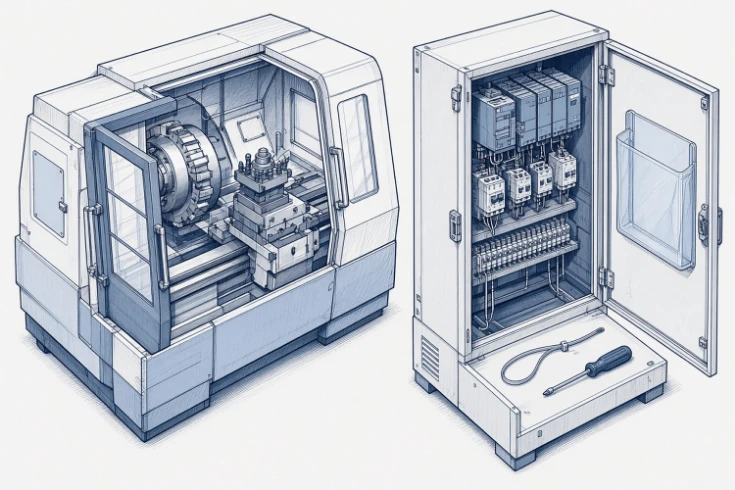
The machine is older than half the team. There's an alarm on the display, the line is stopped, and the document pocket on the inside of the cabinet door is empty. Someone took the manual to the office years ago, or it went out with the man who commissioned the machine. You have a fault code, a nameplate and a phone. The next hour decides whether this is a short stop or a lost day.
Jason (@JasonYu618), who repairs drives, put it in five words on X in October 2026: "I've fixed VFDs and servo drives for about 20 years. No manual = lost day." (post)
This post is the order we would search in, with the sources that show each step works and where each one stops.
Short answer: Start with the nameplate. The order number (Siemens calls it the article number, or MLFB) is what OEM portals search on. Then work out whose manual you need: the machine builder's (wiring, PLC logic) or the control or drive maker's (alarm list, parameters). Ask both. Forums and archives come next. Check the revision of any copy you find.
Applies to: Older machines with a third-party CNC, PLC or drive (examples here: Siemens MICROMASTER 440, Fagor 8025, FANUC CNC and I/O, Haas machine archive). Last verified: 16 Nov 2026. Author: Muhammed Fahiz
Why is the manual so hard to find?
Three public threads show three different ways it goes missing.
- The OEM's manuals exist, but the person at the machine can't get to them. In September 2021 a member called JS1892 posted on the Siemens support forum about a 45 kW MICROMASTER 440 that had tripped on F0001 and would not reset. He had checked the insulation and the motor PTC, but couldn't test the IGBTs, and asked: "Is there a certain Manual for the MM440 on how to take apart and test the unit?" A few days later he asked again: "Is there no chance at all to get Siemens manuals?" (thread 269242). We covered the rest of that thread in Retiring a Micromaster 440 for a G120.
- The document you need was never a public manual. In December 2014 Pat G asked on Practical Machinist for the schematics of Fagor's 8025 "Turnkey" retrofit package, "One board on the inside of the control box in particular". He wrote: "Fagor says they can't find them..." Another member, Pipes, had the 8025T and 8025M OEM manuals, but noted they "are not schematics for the boards inside the box but have all the I/O signals and information for connections to the machine." (Practical Machinist thread)
- The copy you find isn't the one you need. Jason's free fault-code lookup covers Inovance, Delta, INVT, Yaskawa, Mitsubishi and Fuji. His own note on it: "Machine-translated, so check the manual too."
So "the manual" is usually two or three different documents, held by different companies, and some of them were never published.
Which manual do you actually need?
It depends on the question you're asking. For most older machines there are at least two authors: the company that built the machine and the company that made the control or drive inside it.
FANUC's own documents spell out the split. The FANUC I/O Unit-MODEL A Connection and Maintenance Manual (B-61813EN/06) says: "As for safety precautions regarding machine tools, refer to the respective machine manuals provided by the machine tool builders" (p. s-1). It defines the cabinet as one "manufactured by the machine tool builder for housing the CNC unit or peripheral units" (p. 9). A FANUC America training handout on PMC ladder maintenance (FAC-091012/02, 2013) says: "The machine tool builder writes the ladder diagram per individual machine requirements." That handout is hosted on a third-party site (asutp.org copy), not by FANUC, so treat it as a copy of a FANUC document.
The Fagor thread shows the same split from the other side: the control maker's OEM manual has the I/O signals and connections, not the boards that the retrofit package added.
| What you're trying to find | Usually in | Who to ask first |
|---|---|---|
| Meaning of the alarm or fault code on the control or drive | Control or drive maker's alarm list, parameter list or maintenance manual | Control/drive OEM (portal, local office, authorized repair) |
| Drive or CNC parameters and what they do | Control or drive maker's parameter list | Control/drive OEM |
| Wiring diagram for this machine, terminal numbers, interlocks | Machine builder's electrical drawings | Machine builder, or whoever retrofitted it |
| PLC or PMC logic (why an interlock won't make) | Machine builder's program and documentation | Machine builder |
| Boards added by a retrofit kit | Retrofit supplier's drawings | Retrofit supplier; may not be public (Fagor thread) |
| Mechanical service procedures | Machine builder's service manual | Machine builder |
The table is our summary of the sources above, not a rule any OEM publishes. The practical point: if the machine builder has gone, the control maker can still usually tell you what the fault code means, but it may not have your wiring diagram, because it never drew it.
Step 1: get the order number off the nameplate
Every OEM search starts from the exact part number, not the model name. Siemens' FAQ "Find the successor product for a discontinued product in SiePortal" (entry 109826566) starts the same way: enter the article number of the module in SiePortal Support and search. Click the product and you see its lifecycle status, from announcement to end of life, and a "Successor product" tab if it has been replaced (Siemens FAQ 109826566). The FAQ adds that if the successor has also been discontinued you repeat the step, and that "A 100% compatibility statement can only be given from one assembly to the next."
Siemens' Industry Online Support app for Android says it can "Scan your product codes / EAN codes for a direct display of all technical and graphic data (e.g. CAx data) about your Siemens Industry product" (Google Play listing). One 2020 review on the same listing says the scanner wouldn't read the 2D codes on actual devices after an update, so have the number typed out as a backup.
If the plate is painted over or unreadable, some drives will tell you what they are. On a MICROMASTER 440, parameter r0200 "Act. power stack code number" identifies the hardware variant, and the parameter list gives a table from code number to order number. Code 107, for example, is listed as 6SE6440-2UD34-5FAx, 3AC 380-480 V, 45 kW CT / 55 kW VT (MICROMASTER 440 Parameter List, Issue 01/06, pp. 43-44). r0200 is an access level 3 parameter, so you may need to raise P0003 first.
Write down, before you call anyone:
- Machine builder, model and serial number (machine plate).
- Control or drive make and the full order number, including the suffix (component plate).
- Firmware or software version, if the display shows it.
- The exact alarm text and number, as shown on the screen.
- Anything added later: retrofit kit, replacement drive, extra I/O.
Where should you look, in order?
1. The machine builder's own archive
If the builder still exists, ask it first for anything machine-specific. Some builders publish their old manuals. Haas, for example, has an archive section on its manuals page ("If you are looking for an older manual, go to the Archive section at the bottom of this page") (Haas operator's and service manuals). Its archived VF Series Service Manual from June 2002 carries a cover page that says: "Historic machine Service Manuals are posted here to provide information for Haas machine owners" and "Publications are intended for use only with machines built at the time of original publication" (Haas VF Series Service Manual 96-8100 RevE, 2002).
Have the machine serial number ready. A builder's archive is organised by machine and build date, not by the drive inside it.
2. The control or drive maker's documentation portal
Old manuals are often still on the OEM's own site, sometimes behind a login.
- Siemens. Siemens says its documentation for industrial products is on SiePortal (Siemens documentation and downloads). Discontinued does not mean deleted: the MICROMASTER 440 Parameter List, Issue 01/06, still downloaded as a PDF from Siemens' own file server (entry 23708204) when we checked on 16 Nov 2026 (PDF). That is the document JS1892 needed for the fault code side. For anything else, search by the full order number.
- Fagor. In 2014 Pipes wrote that the 8025 OEM manuals "are no longer listed on Fagor's website". Today Fagor's site has a "CNC 8025 M OEM" entry: a 286-page PDF, version V1.0, updated 11/05/2022, marked "Private document Sign in with your customer account to download it." (Fagor CNC 8025 M OEM). So a document that was missing in 2014 is listed again, behind a customer login. If your portal search came up empty years ago, search again.
- FANUC. FANUC says it "provides lifetime maintenance for its products as long as they are used by customers, even for models that are no longer in production", and that "old manuals are also digitized as part of our efforts for lifetime maintenance." It also describes a customer membership website, now MyFANUC, where customers "can download materials including electronic manuals" (FANUC Corporation, Service). That page describes FANUC's membership site in Japan; its own note says the Japanese site services are available only in Japan. Elsewhere, ask your regional FANUC office.
3. Ask the OEM's people: local office, authorized repair, mature-product support
When the portal doesn't have it, a person often does.
- In the Siemens thread, the forum member Tractor told JS1892 to ask the local Siemens agent for a replacement recommendation, and added: "Also, a repair facility can obtain spare parts, repair the device, and test. Siemens can recommend an authorized repair facility."
- FANUC America says it runs "The only FANUC-authorized repair facilities in the Americas", has "comprehensive repair capabilities, no matter the age of the part", and lists "Repair reports available" among its repair services (FANUC America CNC parts repair). Ask for that repair report when a board comes back. It is documentation too.
- Siemens USA sells an optional Mature Product Support service that "provides continued Basic Support for Siemens cancelled and discontinued products", and says "A listing of mature products is available on our Siemens Industry Online Support website" (Siemens Technical Support Services, Mature Support, 2020). That brochure is for the US. Ask your local Siemens office what applies in your country.
Give them the order number, firmware and the exact alarm text from Step 1. "Old Siemens drive, F0001" gets you less than the full number.
4. Forums, and the people who kept their copies
Forum members often have the paper copy the OEM no longer lists. In the Fagor thread, Pipes offered to send his 8025 OEM manuals, and another member, alphonso, wrote: "I have found some older stuff on the Korean Fagor site." That second one is worth remembering: an OEM's regional sites don't always carry the same documents as its main site.
Forums are also where you find out that the document you want doesn't exist publicly. Pat G already had "all the latest Fagor manuals". What he needed was board schematics that nobody in the thread had. Knowing that early stops you searching for a PDF that isn't there.
5. Public archives, with care
The Internet Archive runs a Manual Library. Its own description: "Having the manual for an item can mean the difference between that item being useful (and therefore not immediately junked) and being forgotten, or replaced with similar products." On 16 Nov 2026 its search returned 3,061,020 items in that collection (Internet Archive Manual Library).
Three cautions, from what we saw when we searched it that day:
- Coverage is patchy. A search of the collection for "fanuc" returned 79 items, including a "GE Fanuc Series 20 Maintenance Manual". A search for "siemens micromaster" returned 34.
- Brand names collide. "fagor" returned 351 items, and the top results included a Fagor America electric pressure cooker manual. Fagor Automation (CNC) and Fagor kitchen appliances share the name. Search on the full control model and order number.
- Copies can disappear, and the copyright stays with the OEM. The Internet Archive says that if it is made aware of content that infringes someone's copyright, "we will remove it per our Copyright Policy" (Internet Archive Help: Rights). The FANUC manual quoted above says on page 3: "No part of this manual may be reproduced in any form." Use an archive copy to read the alarm meaning and get the document number. Then get the official copy from the OEM using that document number, and don't repost it.
The same applies to manual-mirror sites in general: they're useful for finding a document number, and you still have to check the revision.
6. Your own records
The last place people look is often the closest. If the machine has been serviced before, someone may have photographed the relevant page, written the alarm meaning on a job card, or attached the manual to an old service report. Search those by the machine serial number and the exact alarm code before you start calling OEMs. Our posts on the alarm someone already solved three years ago and how to find the last fix that worked cover how.
How do you know the copy you found is the right one?
Check it against the machine before you trust it.
- Document number and revision. OEM manuals carry a document number and issue or revision (the MM440 list is "Issue 01/06"; the FANUC I/O manual is B-61813EN/06). Note both.
- Firmware and hardware match. Haas's archive cover says its old manuals are "intended for use only with machines built at the time of original publication" and that "As machine designs change the content of these publications can become obsolete." That applies to any manual.
- Language and translation. A machine-translated table is a lead, not an answer. Jason's own advice on his lookup: "check the manual too."
- Replacement parts. If you're fitting a successor part, Siemens' FAQ warns that a full compatibility statement "can only be given from one assembly to the next". Read the compatibility notes for each step, not just the last one.
For the drive brands we've already covered, the fault-code pages cite the manual and page for each code: Delta VFD fault codes and Siemens MM440 F0001 that won't reset.
Once you have it, keep it with the machine
The search you just did is worth more than the PDF. Write down where you found the manual, its document number and revision, and which pages answered the alarm, and keep that with the machine's service record. A breakdown register or job card with the machine serial number and alarm code is enough. Next time, the answer is one search away instead of a lost day.
Put a copy back in the cabinet door pocket too.
What this doesn't tell you
- We have not tested every route above for every brand. The examples are Siemens, Fagor, FANUC and Haas because those are the ones we could source. Other OEMs run their portals differently.
- We don't know how Pat G's Fagor schematics search ended, or what happened to JS1892's drive. Neither thread says.
- Portal access rules (logins, customer accounts, regional sites) change. Fagor's 8025 entry is the example: missing in 2014, listed again by 2022.
- The archive item counts are what the Internet Archive search returned on 16 Nov 2026. They will change.
Where does HangerSearch fit?
Often the answer to an old machine's alarm isn't in any OEM manual. It's in a service report your own team wrote the last time the machine stopped. That report names the machine, the alarm and what was done, but it's a PDF in a folder nobody remembers.
HangerSearch searches your team's finalized service reports where they already sit and cites the page each answer comes from. Search by alarm code, machine or symptom. See how we handle your reports.
Book a 20-minute demo: hangersearch.com
FAQ
Where can I find a manual for a discontinued Siemens drive? Search SiePortal by the full article number (MLFB) from the nameplate. Many old documents are still there: the MICROMASTER 440 Parameter List, Issue 01/06, still downloaded from Siemens' file server on 16 Nov 2026. The same search shows the lifecycle status and any successor product. If you can't find it, ask your local Siemens office or an authorized repair facility.
Who has the wiring diagram for my machine, the machine builder or the control maker? Usually the machine builder. FANUC's I/O Unit manual refers readers to "the respective machine manuals provided by the machine tool builders", and a FANUC America training handout says the machine tool builder writes the ladder diagram. The control maker's manuals cover the control itself: alarms, parameters and connections.
Is it safe to use a manual from the Internet Archive or a manual-mirror site? Use it to read the alarm meaning and find the document number, then confirm against the OEM's copy. Coverage is patchy, brand names collide (Fagor CNC vs Fagor appliances), and the Internet Archive removes material when told it infringes copyright. OEM manuals such as FANUC's state that no part may be reproduced.
What if the OEM says it can't find the document? Ask the right company for the right document. Board schematics for a retrofit package may never have been published, as in the 2014 Fagor thread. Check the OEM's regional sites, ask forum members who own the machine, and search the OEM portal again later: Fagor's 8025 M OEM manual was missing from its site in 2014 and listed again by 2022.
What should I note before I call the OEM? The machine builder, model and serial number; the control or drive make and full order number; firmware version; the exact alarm text and number; and anything added later, such as a retrofit kit or replacement drive. On a MICROMASTER 440, parameter r0200 gives the power stack code if the nameplate is unreadable.
Sources
- Siemens Industry Online Support forum (SiePortal), "Micromaster 440 tripped on overcurrent F0001 and can not be reset.", thread 269242, posts by JS1892 (29 Sep 2021 and 4 Oct 2021) and Tractor (5 Oct 2021): https://support.industry.siemens.com/forum/WW/en/posts/micromaster-440-tripped-on-overcurrent-f0001-and-can-not-be-reset/269242. Read live in a browser on 14 Nov 2026 (saved copy re-checked 16 Nov 2026). Supports: the JS1892 quotes and Tractor's advice.
- Practical Machinist, "Need Schematics for the factory Fagor 8025 control "Turnkey" Retrofit Package", started by Pat G, December 2014, replies by Pipes and alphonso: https://www.practicalmachinist.com/forum/threads/need-schematics-for-the-factory-fagor-8025-control-turnkey-retrofit-package.295912/. Read 16 Nov 2026. Supports: the Pat G, Pipes and alphonso quotes.
- Jason (@JasonYu618), post on X, 16 Oct 2026: https://x.com/JasonYu618/status/2111011466082201988. Opened via the X API on 16 Nov 2026. Supports: the "No manual = lost day" and "check the manual too" quotes and the brand list.
- FANUC, "FANUC I/O Unit-MODEL A Connection and Maintenance Manual", B-61813EN/06 (FANUC America edition, 2013), hosted by Haas: https://haascnc.com/content/dam/haascnc/en/service/reference/fanuc-manuals/Fanuc%20Connection%20and%20Maintenance%20Manual.pdf. Read 16 Nov 2026. Supports: p. s-1 (machine tool builders' manuals), p. 9 (cabinet made by the machine tool builder), PDF p. 3 (reproduction notice).
- FANUC America, "PMC Ladder Maintenance", FAC-091012/02, 2013, third-party copy: https://asutp.org/FANUC/PMC/FANUC_PMC_Maintenance_3xi_amp_0id_V2.pdf. Read 16 Nov 2026. Supports: "The machine tool builder writes the ladder diagram per individual machine requirements." Not hosted by FANUC.
- Siemens, FAQ "Find the successor product for a discontinued product in SiePortal", entry 109826566: https://support.industry.siemens.com/cs/document/109826566/find-the-successor-product-for-a-discontinued-product-in-sieportal. Read in a browser 16 Nov 2026. Supports: article-number search, lifecycle status, successor tab, the compatibility quote.
- Siemens AG, "Industry Online Support" app, Google Play listing (updated 3 Nov 2026): https://play.google.com/store/apps/details?hl=en_US&id=com.siemens.industry.onlinesupport. Read 16 Nov 2026. Supports: the product-code scanning quote; one user review (Sep 2020) about 2D codes.
- Siemens, MICROMASTER 440 Parameter List, Issue 01/06, 6SE6400-5BB00-0BP0, entry 23708204: https://cache.industry.siemens.com/dl/files/204/23708204/att_60463/v1/440_PLi_23708204_en_0106.pdf. HTTP 200 (PDF) on 16 Nov 2026. Supports: r0200 and the code-107 row (pp. 43-44); that the document is still downloadable.
- Siemens, "Documentation and downloads": https://www.siemens.com/en-us/support/documentation-downloads/. Read 16 Nov 2026. Supports: SiePortal holds documentation for industrial products.
- Fagor Automation, "CNC 8025 M OEM" document page: https://fagorautomation.com/en/document/cnc-8025-m-oem/. Read 16 Nov 2026. Supports: 286 pages, V1.0, updated 11/05/2022, private document behind customer sign-in.
- FANUC Corporation, "Service" (Sustainability, With Our Customers): https://www.fanuc.co.jp/en/sustainability/social/customers/service.html. Read 16 Nov 2026. Supports: lifetime maintenance quote, digitized old manuals, membership website / MyFANUC, Japan-only note.
- FANUC America, "FANUC CNC Parts Repair": https://www.fanucamerica.com/support/cnc/parts-repair. Read 16 Nov 2026. Supports: authorized repair in the Americas, "no matter the age of the part", repair reports.
- Siemens Industry, Inc., "Technical Support Services - Mature Support", CSDS-TSMAT-0120, 2020: https://assets.new.siemens.com/siemens/assets/api/uuid:a37dec93-4dc8-4724-ab31-5ede8eae3223/df-cs-technical-support-mature-en-lores.pdf. Read 16 Nov 2026. Supports: Mature Product Support quotes (US).
- Haas Automation, "Operator's and Service Manuals" page (last updated 11/04/2026): https://haascnc.com/owners/Service/operators-manual.html. Read 16 Nov 2026. Supports: the archive-section quote.
- Haas Automation, VF Series Service Manual 96-8100 RevE, June 2002, with archive cover page (Rev A, June 6, 2013): https://haascnc.com/content/dam/haascnc/en/service/manual/service/english---vf-series-service-manual---2002.pdf. Read 16 Nov 2026. Supports: the archive cover-page quotes.
- Internet Archive, "The Manual Library" collection: https://archive.org/details/manuals. Collection description and search counts read via archive.org's metadata and search API on 16 Nov 2026. Supports: the description quote, 3,061,020 items, and the "fanuc" (79), "siemens micromaster" (34) and "fagor" (351) counts and titles.
- Internet Archive Help Center, "Rights": https://help.archive.org/help/rights/. Read 16 Nov 2026. Supports: removal of infringing content.
Related
- Retiring a Micromaster 440 for a G120: carry the fault history across
- Siemens MM440 F0001 that won't reset: what to check, by when it trips
- Delta VFD fault codes: ocA, ovd, GFF and what to check
- The alarm someone already solved three years ago
- Repeat machine fault? How to find the last fix that worked
- How HangerSearch handles your data