
Article
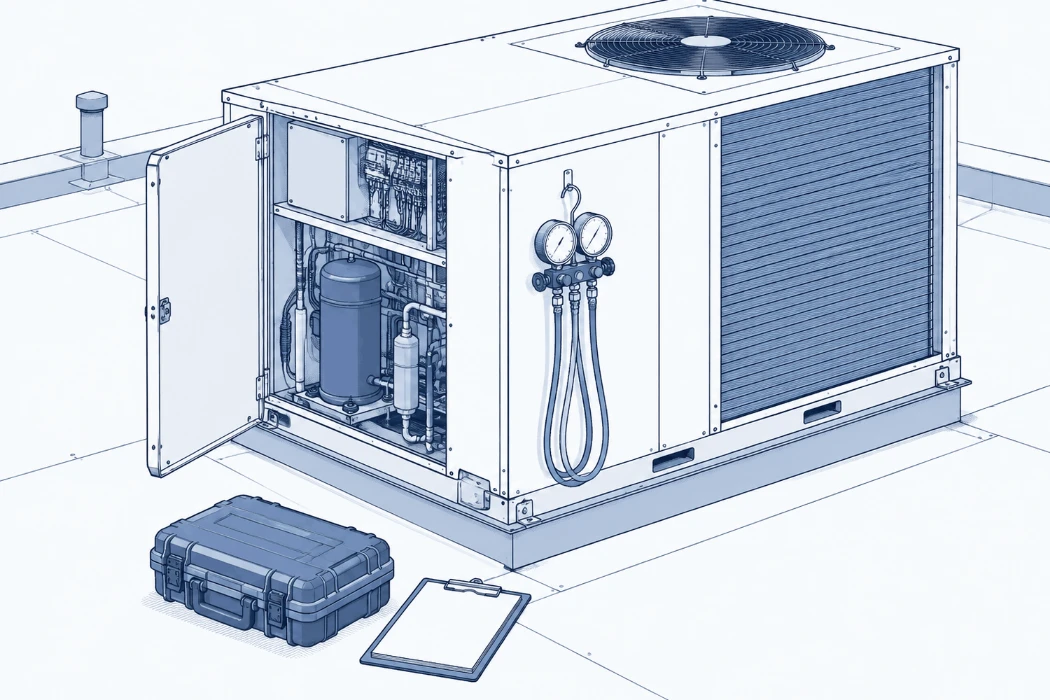
Field service report template built for the next technician
A callback two days after a service visit is only quick if the last report is findable. This post lists the field service report fields the next technician needs (asset, serial, fault code, cause, parts, callback flag), with three illustrative examples and public template sources.
On 26 July 2026 an AC owner in India, Guru (@Gurusmart123), tagged an air-conditioner brand's service account in a post on X: "Ac was serviced 24th July. But now AC is not working, No cooling . Kindly escalate this issue to a senior technician". Two days after a service visit, the unit had stopped cooling, and the customer was asking for someone more senior to "properly identify and rectify the problem".
Whoever goes out on that callback is the next technician. What they can do in the first ten minutes depends almost entirely on what the last technician wrote down.
Short answer: A field service report the next technician can use needs fixed fields, not a free-text note: work order and report number, service contract, asset tag, make, model and serial, visit type, a callback flag with the previous work order, fault code as displayed, reported problem, cause found, work done, parts with part numbers, readings, labeled photos, status on departure and sign-off. The template table below lists them.
Applies to: field service technicians, service managers and dispatchers who write a report after every service call, especially US teams that use "work order", "service contract" and "callback" vocabulary. Dates use MM/DD/YYYY. Last verified: Nov 9, 2026. Author: Muhammed Fahiz
US-vocabulary sibling of our India AMC service report format post. Same search logic; different contract words and date format. The plant-side version is the equipment repair log template.
What should a field service report include?
A field service report is the record of one visit to one asset. DocMake's template page puts it this way: "A field service report is the record of one engineer's visit to one asset: the fault reported, the time on site, what was found and done, the parts fitted, the tests that proved the fix and the state the asset was left in."
It is not the work order. Lyt Brox's template page draws the line clearly: "A work order is the instruction to do the job. A service report is the record of what was actually done, found and signed for. Each report should carry its work order number."
The public templates we read agree on the basics. At minimum a report should capture:
- Which job (report number, work order number, service contract or warranty reference)
- Where and for whom (customer, site, contact)
- Which asset (asset tag, make, model, serial, location on site)
- Why the tech was there (visit type, reported problem in the customer's words)
- What the tech found and did (fault code as displayed, checks and readings, cause, work done)
- What went on the asset (parts with part numbers and quantities) and labeled photos
- How the asset was left (status on departure, outstanding items, next service due)
- Who signed (technician and customer)
Those fields come mostly from billing and proof of attendance. A report that gets the visit invoiced is not automatically a report the next technician can use. The difference is in a handful of fields that make an old report findable.
What does the next technician need from the last report?
Go back to the callback. The tech who drives out two days after a service visit needs to answer three questions fast:
- Is this the same unit that was serviced, or another one on the same site?
- What did the last visit find, change and measure?
- Has this unit, or this model, done this before?
A report that says "PM done, unit running" answers none of them. Lyt Brox lists this as a mistake that causes disputes: ""Checked OK" with no detail. It cannot be defended when the item fails next month." DocMake makes the same point from the reliability side: "An engineer who writes only that a unit was repaired leaves nobody able to spot the same fault appearing on three sites in a month."
Free text has a second problem. Nick Nickolovski described it in a comment on a public LinkedIn post by Delin S. in October 2026: "Same machine, five different descriptions, so it never adds up to one problem." Five technicians describe the same failure five ways, and a later search for any one wording misses the other four. We wrote that problem up in same machine, five descriptions.
Field service report template: which fields make it findable later?
Each field below exists so a later technician can find the visit by asset, by code, by part or by contract, and then trust what it says.
| Field | What goes in it | Why it helps the next technician |
|---|---|---|
| Report no. | Unique number, never reused | Lets you cite one visit without ambiguity |
| Work order no. | The WO or job number the visit was dispatched under | Ties the report back to the request and the invoice |
| Service contract / warranty ref. | Contract or warranty ID, or "none" | Groups every visit under one agreement and coverage period |
| Visit date (MM/DD/YYYY), arrival, departure | Day the work was done, not the day it was typed | Keeps the asset's history in true order |
| Visit type | PM, repair, callback, install, inspection | Separates planned visits from emergency calls in a filter |
| Callback? / previous WO | Yes or no; if yes, the work order of the earlier visit | Links a return trip to the visit it follows |
| Customer, site, contact | Who and where | Finds the site when the asset tag is missing |
| Asset tag and location | Customer or your installed-base tag, plus roof, room or line | Groups every visit to one unit even when the write-up changes |
| Make and model | As on the nameplate | Lets you search across identical units at other sites |
| Serial number | Nameplate serial | Tells two identical units on the same roof apart |
| Fault code as displayed | Exact code on the controller, drive or HMI, or blank | The most precise search term you have; variants hide repeats |
| Reported problem | The customer's words ("no cooling") | Matches the next complaint, which will use the same words |
| Checks and readings | One line per check, with the value measured | Gives the next tech a baseline to compare against |
| Cause found | What the checks showed, not a guess | A found report is useless if it only says "checked OK" |
| Work done | What was actually done, in plain words | Tells the next tech whether to repeat a step or skip it |
| Parts (with part numbers, qty) | Part name, OEM or stock number, quantity | Lets you search by part and order the right one |
| Photos and captions | File name or link, plus a caption naming asset and part | An unlabeled photo can't be found or trusted later |
| Status on departure | Running, running with limits, left off (and why) | Tells the callback tech what state the unit should be in |
| Outstanding items / next due | Open defects, parts on order, next PM date | Turns open items into a next job instead of a surprise |
| Technician and customer sign-off | Names, signatures, date | Proof of attendance; not a substitute for the fields above |
Our recommended fields for a findable field service report, not a published standard. Public template pages from Lyt Brox (updated Oct 2026) and DocMake (reviewed Nov 2026) list overlapping fields; we add the callback flag and keep the same search spine as our AMC service report format.
Three fields do most of the search work: asset tag plus serial, the fault code exactly as displayed, and the part number. Lyt Brox notes that make, model, serial or tag number is there "So the next visit can find the same unit." The callback flag with the previous work order is the field we add: neither of the two template pages cited here has a field that links a return visit to the earlier work order. Without it, a return trip two days after a PM looks like a new, unrelated call, and nobody counts how often the same unit comes back.
What does a filled example look like?
The rows below are illustrative examples invented for this template. They are not real customer records, and the readings are placeholders, not specifications for any unit. They show one rooftop unit with a PM followed by a callback, and a packaging-line drive with a fault code already covered on this blog.
| Visit date | Report no. | WO no. | Contract | Visit type | Callback? / prev. WO | Asset tag | Make / model | Serial | Fault code | Reported problem | Cause found | Work done | Parts | Photo / caption | Status on departure | Technician |
|---|---|---|---|---|---|---|---|---|---|---|---|---|---|---|---|---|
| 06/12/2025 | FSR-1041 | WO-5520 | SC-2025-014 | PM | No | RTU-2 (roof, east) | Packaged RTU (nameplate) | RTU-SN-7731 | - | Quarterly PM | Filters loaded; condenser coil dirty | Changed filters; cleaned coil; checked belt | Filters (4) | RTU2_20250612_coil-after.jpg - condenser coil after clean | Running | J. Ortiz |
| 06/14/2025 | FSR-1049 | WO-5537 | SC-2025-014 | Callback | Yes / WO-5520 | RTU-2 (roof, east) | Packaged RTU (nameplate) | RTU-SN-7731 | - | "No cooling" on second floor | Condenser fan not starting; run capacitor failed on test | Replaced condenser fan run capacitor; verified fan start and cooling | Run capacitor CAP-45-5 (1) | RTU2_20250614_capacitor.jpg - failed capacitor removed | Running | M. Chen |
| 09/03/2025 | FSR-1188 | WO-5791 | None | Repair | No | PKG-4 conveyor drive | Yaskawa VFD (nameplate) | YV-2210-0457 | oC | Conveyor drive trips on start after belt change | Motor cable chafed at guard; insulation low | Replaced cable section; re-routed under guard; IR OK | Motor cable 3 m (1) | PKG4_20250903_cable-chafe.jpg - chafed cable at guard | Running | J. Ortiz |
Illustrative examples only. Invented for the template. Not real customer records or field reports.
Filter asset tag = RTU-2 and the June history reads as a PM followed by a callback two days later, linked by WO-5520. Search "no cooling" and the callback comes up with its cause and part. Search fault code = oC and the drive repair comes up with the cable as the cause (see our Yaskawa VFD fault codes post for what oC covers). A note that said only "PM done, unit running" would match none of those searches.
To use the template, copy the header row of the field table into a new sheet or form, freeze it, and fill every column the same way on every visit.
Why does the callback field matter so much?
A callback is the clearest signal a field service team gets that the last visit did not finish the job. The customer in the X post above did not ask for a refund. They asked for a "senior technician to properly identify and rectify the problem". That is a request for diagnosis, and the fastest diagnosis on a callback usually starts from what the last visit already checked and changed.
We do not know what was done on that 24 July visit, what failed afterward, or how it was resolved. The post does not say, and we are not guessing. It is one public post, quoted as written. What it shows is the customer's side of a missing fix history: from the outside, a callback looks like the same problem twice.
With a callback flag and a previous work order on every report, you can:
- Open the earlier visit before you leave the shop, and see its checks, readings and parts
- See whether the same tech, the same part or the same model keeps showing up in return trips
- Count callbacks per asset or per model instead of finding out from customer complaints
None of that needs a new system on day one. It needs the same fields filled the same way on every visit.
Paper, spreadsheet or field service app?
Paper works for capture on site if the report is typed into a fixed digital record afterward. The risk is the one Lyt Brox names: reports typed up later, with the date of typing instead of the date of work, which "breaks the service history".
A spreadsheet is enough when one file (or one sheet per year) is the log, the headers never change, dates stay MM/DD/YYYY, photos sit in a shared folder linked from the photo column, and finished rows are not silently edited.
A field service app or CMMS works when the same fields are required, not optional free text. An app that lets techs skip the cause and the part number just produces "checked OK" faster.
Whatever you use, the test is the same: can a technician who has never seen this site find the last visit to this unit by asset tag, by fault code or by part number, in a few minutes?
How does this connect to searching old service reports?
- Keep the field report and the plant's repair log on the same search spine: equipment repair log template and, for Indian contract work, the AMC service report format
- Use the same columns in the plant's own register: breakdown register format (Excel)
- Write cause and fix before you close the job: "It's running now" is not a fix
- Treat messy text, scans and unlabeled photos as a data problem: searching old service reports is a data problem
- When the fault comes back, look for the last fix that worked: find a past service fix for a repeat machine fault
What this doesn't tell you
The X post is one customer's public complaint in India, about an air conditioner, not a US commercial service call. We use it only to show what a callback looks like from the customer's side, and we do not know its cause or outcome. Lyt Brox and DocMake are vendor template pages, cited for their published field lists and wording, not as standards and not as endorsements. The field list, the callback field and the three example rows are ours. We found no study that measures how much a fixed-field report reduces callbacks or speeds up the next diagnosis.
Where does HangerSearch fit?
If your technicians already write field service reports, the next problem is finding the right earlier report when a unit is down and the customer is waiting. HangerSearch is private, retrieval-only search over your team's own finished service reports, searched where they already sit. You search by fault code, model or symptom. It shows the earlier reports that match and why each one matched, and opens the cited page. Nothing is generated, and if there is no similar report, it says so. It cannot invent a cause or a part number that was never written down, which is why the report fields come first. See how we handle your reports.
Book a 20-minute demo: hangersearch.com
FAQ
What should a field service report template include?
Report number, work order number, service contract or warranty reference, visit date and times, visit type, a callback flag with the previous work order, customer and site, asset tag and location, make, model and serial, fault code as displayed, reported problem, checks and readings, cause found, work done, parts with part numbers, labeled photos, status on departure, outstanding items and both sign-offs.
What is the difference between a work order and a field service report?
A work order is the instruction to do the job. The field service report is the record of what was actually found, done and signed for on that visit. Each report should carry its work order number so the two can be matched later.
Which fields make an old service report searchable?
Asset tag plus serial, the fault code exactly as displayed, and the part number do most of the find work. The reported problem in the customer's words matches the next complaint. Cause, work done and readings make a found report usable.
Why add a callback field?
Because a return visit soon after a service is easy to log as a new, unrelated call. A callback flag with the previous work order links the two visits, so the next technician can open the earlier report first and you can count repeat visits per asset or model.
How is this different from the AMC service report format?
Same search logic, different vocabulary. The AMC service report format is written for Indian Annual Maintenance Contract visits with DD/MM/YYYY dates. This template uses US work order, service contract and callback terms with MM/DD/YYYY dates.
Sources
- Guru (@Gurusmart123), public post on X tagging an air-conditioner brand's service account, 26 Jul 2026: https://x.com/Gurusmart123/status/2081184570951827598. Opened via the X API on 9 Nov 2026. Supports: "Ac was serviced 24th July. But now AC is not working, No cooling . Kindly escalate this issue to a senior technician" and "Send senior technician to properly identify and rectify the problem". Quoted as written. Single post; cause and outcome unknown. Contact details in the post not reproduced.
- Lyt Brox, "Service Report Template for Maintenance and Field Service Work", updated 24 Oct 2026, https://www.lytbrox.com/service-report-template. Read 9 Nov 2026. Supports: field list; work order vs service report definition; "So the next visit can find the same unit"; "Checked OK" mistake; date-of-typing mistake. Vendor page, not a standard.
- DocMake, "Field Service Report" template, last reviewed Nov 2026, https://docmake.io/templates/field-service-report/. Read 9 Nov 2026. Supports: one-visit-one-asset definition; field list (contract reference, asset tag, cause, tests with readings, status on departure); "symptom, cause, action, result"; "three sites in a month" quote. Vendor page, not a standard.
- Nick Nickolovski, comment on Delin S., public LinkedIn post "Maintenance keeps fixing, but the same machine keeps breaking." (11 Oct 2026); comment dated 12 Oct 2026: https://www.linkedin.com/posts/delinsirkov_maintenance-cmms-reliability-activity-7514852511011463168-0mhw. Previously read for our repeat-breakdown post. Supports: "Same machine, five different descriptions, so it never adds up to one problem."
- Yaskawa oC example code context only: see Yaskawa VFD fault codes. Example rows here are invented illustrations, not field reports.
Related
- AMC service report format, with the fields that make the next fix findable
- Equipment repair log template that stays searchable
- Breakdown register format (Excel) that you can still search in two years
- Same machine, five descriptions: why repeat faults never add up
- Find a past service fix for a repeat machine fault
- How HangerSearch handles your data